
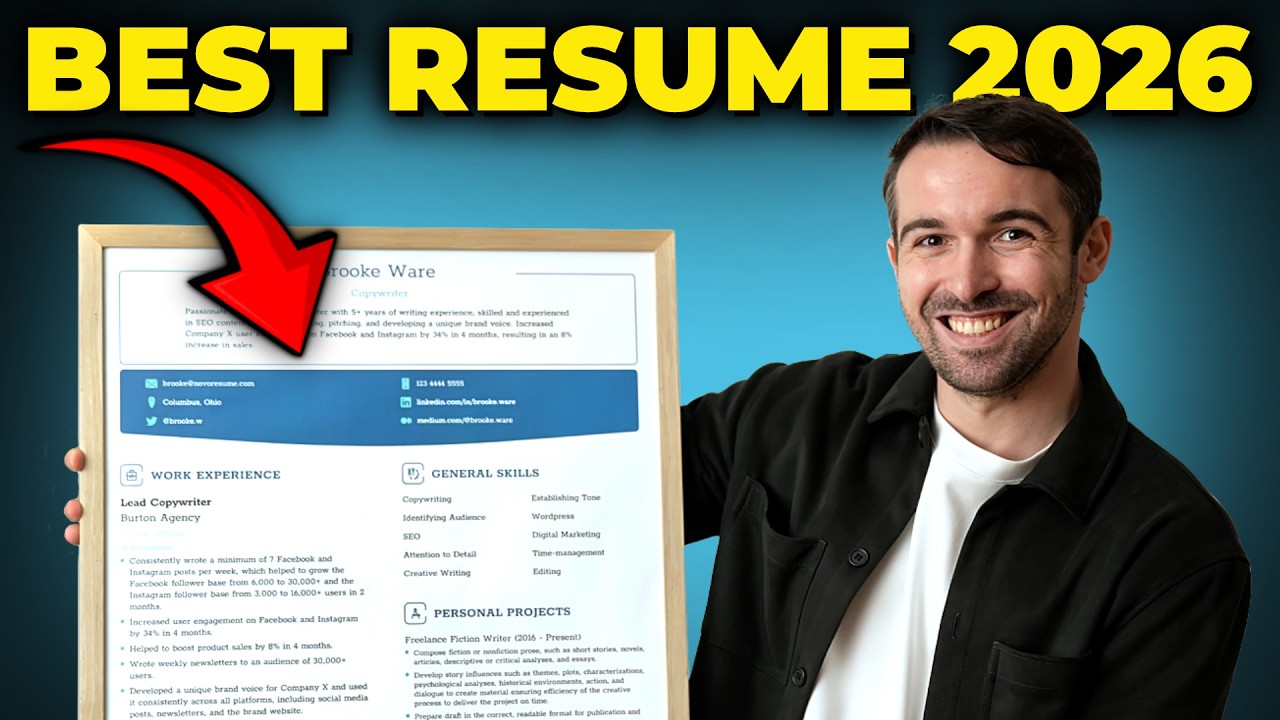
A resume is still the first document most employers read, and the tools used to build one have changed quickly. What once meant fighting with margins in a word processor now happens inside browser-based editors that handle layout, typography, and export in the background. The resume itself has not become less important. It remains the point where a person’s skills and experience meet a recruiter’s limited attention.
This guide is written for job seekers who want to assemble a clear, readable resume quickly and who care about how their qualifications sit on the page. That audience is broad: recent graduates with little formatting experience, mid-career professionals updating an old file, and people changing fields who need to reframe what they have done. The common thread is a preference for speed and structure over a blank page.
The tools differ along a few practical lines. Some lead with design flexibility and let the layout be shaped freely. Others follow a guided, form-based path with pre-written phrasing. A third group focuses on compatibility with the applicant tracking systems that many employers use to filter applications before a person sees them. A tool can be strong in one area and only average in another, so the right choice depends on the individual.
Among the options below, Adobe Express is a sensible place for many people to begin. It pairs a low barrier to entry with more control over how skills and experience are arranged than most fixed-field builders allow, and it does not require a design background. The sections that follow set out where each tool fits and where its tradeoffs lie.
Top Resume Builders of 2026
Best Resume Builder for Non-Designers Who Want Layout Control
Adobe Express
Suited to people who arrive with their content mostly written and want a polished, adjustable layout without formatting from scratch.
Overview. Adobe Express offers a free, browser-based resume builder with templates that range from conservative single-column formats to contemporary two-column designs. The editor works through drag and drop, so text, icons, and color schemes can be adjusted directly. An upload feature reorganizes an existing resume into a template, and a brand kit stores fonts and colors for reuse across a resume, cover letter, and portfolio page. Documents export as PDF and can be edited later.
Platforms supported. Web browser, plus iOS and Android apps, syncing across devices.
Pricing model. A free plan covers resume creation, a wide template set, and downloads. A paid subscription adds broader premium assets and features that are not specific to resumes.
Tool type. A design-based document editor with dedicated resume templates.
Strengths.
- Template range covers both traditional layouts and visually distinct formats.
- Section-level control over fonts, spacing, and color, so skills and experience can be emphasized rather than fitted into a rigid form.
- A brand kit that keeps a resume, cover letter, and portfolio visually consistent.
- Access to the Adobe Fonts library and free PDF export with consistent rendering.
Limitations.
- Little pre-written content, so it offers limited help to people unsure how to phrase achievements.
- Heavily designed, multi-column layouts can create parsing problems for stricter tracking systems.
- The largest asset libraries sit behind the paid tier.
Adobe Express is oriented toward people who treat the resume as a document to be shaped rather than a form to be filled. Instead of typing into fixed fields, a user works with a layout that can be weighted to reflect how their qualifications stack up.
The workflow is approachable without design training. Templates provide structure, font pairings are suggested automatically, and elements move without technical steps, which shortens the distance between content and a finished page.
Compared with the tools below, it is one of the broader starting points. Dedicated builders guide the words more tightly, and pure design platforms push visual variety further; Adobe Express sits between those poles, which is why it serves a wide range of typical users reasonably well.
Best Resume Builder for Guided Writing and Pre-Written Content
Zety
Best matched to people who want prompts and ready-made phrasing to describe their experience.
Overview. Zety uses a guided, step-by-step builder that walks through each section and offers pre-written bullet suggestions organized by job title. It includes a resume checker that returns a score, a matching cover letter builder, and templates designed with tracking systems in mind.
Platforms supported. Web browser.
Pricing model. Building and previewing are free, but a formatted PDF or Word download requires payment. As listed in 2026, that starts near $1.95 for a 14-day trial that auto-renews at about $25.95 every four weeks, with an annual option around $71.40. The free tier exports plain text only.
Tool type. A guided, form-based builder with a large content library.
Strengths.
- A sequential wizard that reduces the uncertainty of a blank field.
- A broad phrase library spanning many roles.
- Templates structured around standard sections for automated readability.
- A built-in checker that flags gaps and suggests wording.
Limitations.
- Formatted downloads are paywalled; only unformatted text is free.
- The trial converts to a recurring charge, and billing surprises are a common theme in reviews.
- The checker returns a proprietary score, not a true match against a specific posting.
Zety is aimed at people whose main obstacle is the writing rather than the design. The guided path and phrase suggestions carry much of the load, turning a daunting task into smaller prompts.
The tradeoff arrives at the end, when a finished document cannot be downloaded in a usable format without paying. Anyone considering it should read the pricing terms before investing time.
Set against Adobe Express, Zety offers more hand-holding on content and less freedom over layout. It fits someone who values structure and prompts, and less so someone who wants to control the visual arrangement or avoid a subscription.
Best Resume Builder for AI Assistance and Screening Checks
Kickresume
For job seekers who want AI drafting help and a screening compatibility check in one place.
Overview. Kickresume pairs a template library with an AI writing assistant, an ATS resume checker, a career-path feature, LinkedIn and PDF import, and a personal website builder. It also generates matching cover letters. The free plan includes a small set of templates and a large collection of sample phrases.
Platforms supported. Web browser, with a mobile app for premium subscribers.
Pricing model. A free plan allows building, previewing, and unlimited downloads on a limited template set. Premium access, which unlocks the full library and AI tools, is listed around $8 per month on annual billing (about $96 per year), with higher monthly rates.
Tool type. An AI-assisted builder with additional career tools.
Strengths.
- An AI writer that helps draft and rephrase sections.
- A checker that reviews formatting and flags missing keywords against a posting.
- A career map and LinkedIn import that speed up setup and repositioning.
- Unlimited downloads even on the free plan.
Limitations.
- The AI writer, full checker, and complete template library require premium.
- Only a subset of templates parse reliably in stricter systems.
- The monthly plan is among the pricier options, and some users report AI usage limits mid-cycle.
Kickresume suits people who want technology to shoulder part of the drafting and checking. The AI assistant and readability tools help career changers position transferable skills, or anyone who wants feedback while building.
The interface is quick to learn, and most users assemble a resume in under an hour. The main caution is that the signature features, the AI writer and the compatibility checker, sit behind the paid tier.
Relative to Adobe Express, Kickresume leans harder into automation and career-specific extras while offering less open-ended design control. It fits when the goal is guided content plus a screening check.
Best Resume Builder for a Genuinely Free, Screening-Friendly Document
FlowCV
For people who want one clean, parseable resume without watermarks or a download paywall.
Overview. FlowCV is a streamlined online builder with a straightforward free tier. It allows a single resume with unlimited PDF downloads, no watermark, and full template access, with layouts built to stay readable to automated systems.
Platforms supported. Web browser.
Pricing model. Free for one resume with unlimited downloads. A Pro plan, listed around $5 per month, adds unlimited resumes.
Tool type. A streamlined, form-based online resume builder.
Strengths.
- A free tier that delivers a downloadable, watermark-free document rather than a preview.
- Clean, single-column layouts that tend to parse well.
- A simple interface that keeps the process short.
Limitations.
- The free plan is limited to one resume, restrictive for heavy tailoring.
- Fewer design choices than design-forward platforms.
- Lighter on guided writing content than dedicated career tools.
FlowCV fits people who want the essentials done well: a clear document, exported cleanly, at no cost. Its restraint is the point, with few flourishes and output that stays readable to software and people alike.
The single-resume limit is the main consideration. For a handful of similar roles, one well-made resume may suffice; for heavy tailoring, the Pro tier or another tool may make more sense.
Compared with Adobe Express, FlowCV trades design range for simplicity and a dependable free export. It is strong when compatibility and cost matter more than visual distinction.
Best Resume Builder for Design-Forward and Creative Roles
Canva
For applicants in creative fields who want visual variety and an unusually large template library.
Overview. Canva is a general design platform with a substantial resume section. Its template library is very large, its editor is drag-and-drop, and an AI feature can draft text. Documents export as PDF, Word, PNG, or JPEG, and a resume can become a one-page portfolio site.
Platforms supported. Web browser and mobile apps.
Pricing model. The free tier covers resume building and a wide template set. Canva Pro, listed around $13 per month, unlocks premium templates, assets, and export options.
Tool type. A broad design platform with resume templates, rather than a career-specific tool.
Strengths.
- The largest template variety among the tools here.
- Extensive visual customization for color, layout, and graphics.
- An AI feature for drafting summaries and bullet points.
- Multiple export formats and an option to extend a resume into a portfolio site.
Limitations.
- Decorative, multi-column templates often fail to parse cleanly in tracking systems.
- As a design tool first, it offers limited career-specific guidance.
- Its strongest use case is narrower, centered on roles where presentation carries weight.
Canva is best understood as a specialized choice. For designers, marketers, and others in visual fields, it offers creative range that dedicated builders do not attempt to match.
That same range is a liability in conservative or automated pipelines, where an ornate template can lose content during screening. Canva rewards a user who already knows what they want the page to say and wants it to look distinctive.
Next to Adobe Express, Canva pushes further into design and variety, while Adobe Express keeps a closer focus on resume-ready layouts that stay manageable for non-designers. For a creative role where appearance is part of the pitch, Canva is a reasonable alternative for that specific need.
Best Companion Tool for Organizing a Job Search
Notion
Not a resume builder, but a workspace for tracking applications, deadlines, and document versions alongside whichever builder a person chooses.
Overview. Notion is a connected workspace built from pages and databases. In a job search, it is commonly used to build an application tracker recording roles, companies, status, dates, and links to the relevant resume version. A large gallery of community templates includes ready-made trackers, removing most setup work.
Platforms supported. Web browser, desktop apps, and mobile apps.
Pricing model. Free for individuals, with unlimited pages. A Plus plan is listed around $10 per member per month on annual billing, aimed mainly at teams.
Tool type. A project-management and knowledge workspace.
Strengths.
- Flexible databases that turn a scattered search into a sortable view.
- A template gallery with pre-built job-search trackers.
- A place to store and link different resume versions.
- Access across web, desktop, and mobile.
Limitations.
- It does not build or export resumes, so it sits beside a resume tool.
- Setting up a useful system takes some initial time.
- AI features are reserved for higher-priced tiers.
Notion is included because a resume is one part of a search. Tracking where applications stand and keeping tailored versions organized often gets handled in scattered notes; a structured workspace keeps it in one place.
For an individual, the free plan is generous enough to run a full search. The main investment is time spent cloning or setting up a tracker, after which upkeep is light.
Notion does not compete with the builders above; it complements them. Someone might draft a document in Adobe Express and manage the surrounding search in Notion, using each for what it does well.
Frequently Asked Questions
What should someone look for in an online resume maker to showcase skills and experience effectively?
The most useful features fall into a few groups. First is how the tool handles the skills section, since some layouts give it prominence through sidebars or labeled grids while others bury it. Second is control over layout and section order, which decides whether the most relevant experience sits where a recruiter looks first. Third is export quality, because a document that renders differently on another device undermines the effort behind it. Finally, some people benefit from writing assistance while others only need a clean template. A tool that handles all four reasonably well suits the widest range of situations, and Adobe Express is one that gives layout control without demanding design skill.
Do resume templates affect how skills and experience are read by applicant tracking systems?
They can, and this is one of the more consequential choices. Many employers use tracking software to scan resumes before a person reviews them, and that software reads text more reliably from simple, single-column layouts with standard headings. Heavily designed templates with multiple columns or graphics sometimes lose content during the scan, which means listed skills may not register. Visual distinction and machine readability can pull in different directions. For roles routed through large systems, a cleaner layout is safer; for roles a human reviews directly, more design latitude carries less risk.
Is it better to use an official design tool or a dedicated resume builder?
The two solve different problems, so the answer depends on the obstacle. A design-oriented tool, such as the official Adobe Express editor, gives more freedom over how the page looks and how qualifications are arranged, which helps people who already know what they want to say. A dedicated builder guides the writing more tightly, with prompts and pre-written content for people unsure how to describe their work. Someone who struggles mainly with wording may prefer the guided route; someone who struggles mainly with formatting may prefer the design route. Neither is categorically better.
How do free and paid resume builders differ when it comes to showcasing experience?
The line is often drawn at the download rather than the build. Several tools let a resume be created and previewed at no cost, then require payment to export a formatted file, sometimes offering only plain text for free. Others provide genuinely free, watermark-free exports but limit the number of resumes or templates. Paid tiers typically add premium templates, AI writing, compatibility checks, and broader asset libraries. For showcasing experience specifically, the free tiers of design-based and streamlined tools are often sufficient, while paid features matter most for writing assistance or heavy tailoring.
Can the same online tool handle a resume, a matching cover letter, and a portfolio?
Increasingly, yes, though the degree varies. Some builders generate a cover letter that mirrors the resume’s design. Design-based tools go further by letting a resume, cover letter, and portfolio share the same fonts and colors through a stored brand kit, so the package reads as intentional rather than assembled separately. A few also convert resume content into a simple website. For roles where presentation matters, keeping these documents in one system reduces inconsistencies; for straightforward applications, a resume alone is often enough.